
Pipelines are one of the most powerful parts of GoHighLevel — and one of the most ignored. When stages don’t match the real sales process, people stop moving opportunities and the board quickly becomes out of date. Here is a practical way to structure them.
Start from the customer journey, not from a template
Before you create a single stage, write down what actually happens between “new enquiry” and “paying customer”. Who replies? When is a call booked? What has to happen before you send a proposal?
Each stage should describe a state the lead is in, not a task someone has to do. “Call booked” is a state. “Call the lead” is a task — that belongs in Tasks, not in the pipeline.
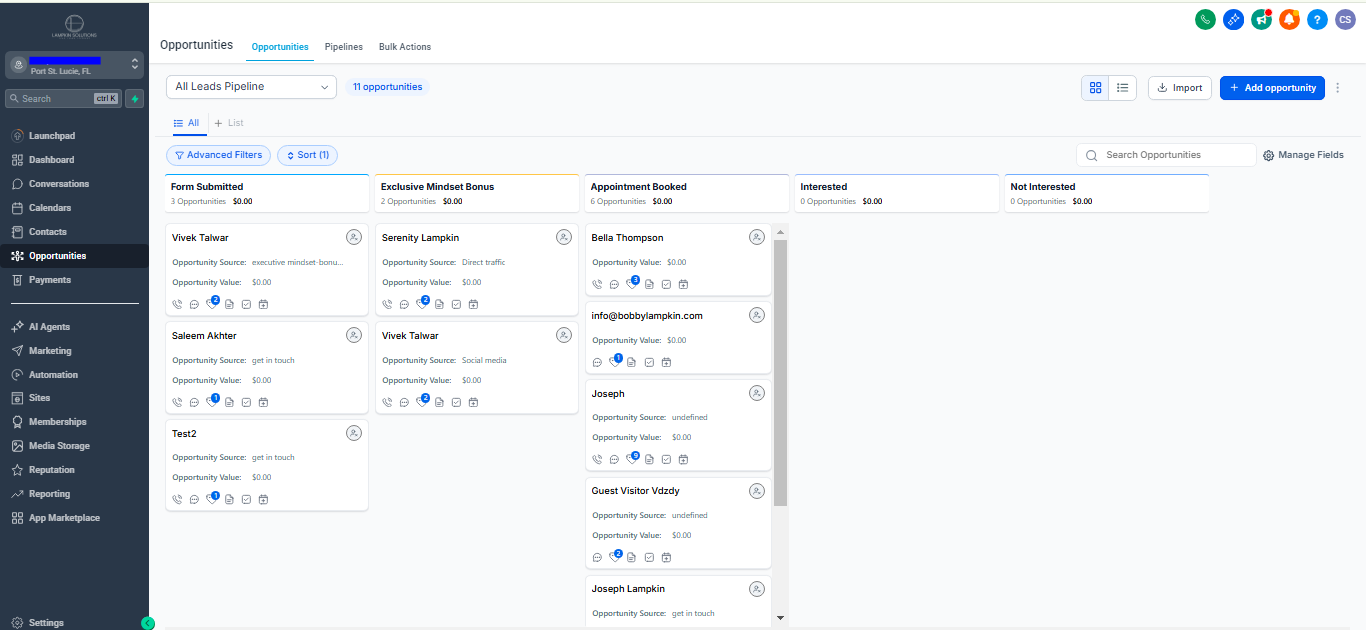
A simple stage structure that works for most service businesses
- New lead — just came in, not contacted yet.
- Contacted — first reply sent, waiting for a response.
- Engaged — the lead replied or showed clear interest.
- Call booked — appointment on the calendar.
- Proposal sent — waiting for a decision.
- Won / Lost — closed, with a lost reason.
Keep it short. If a stage is never used, remove it. If two stages always move together, merge them.
Let automation move the cards
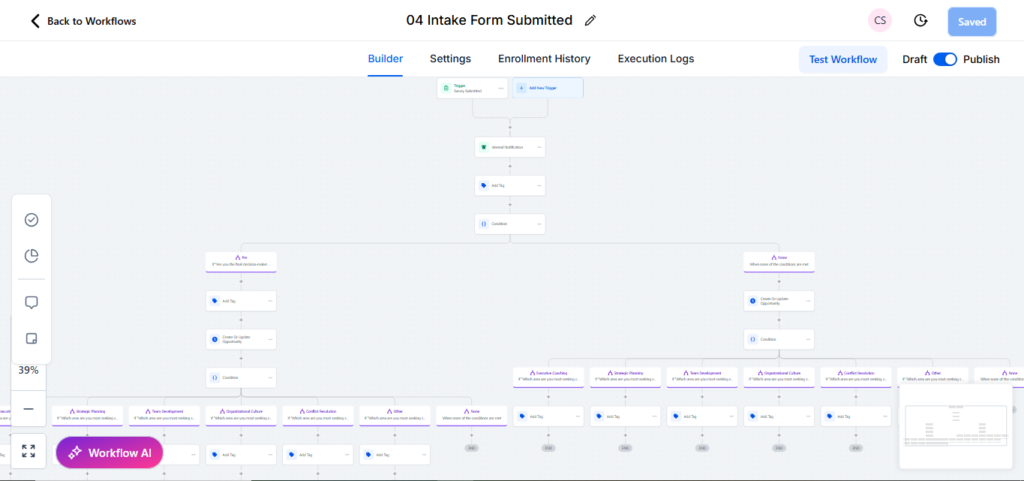
Manual updates are where pipelines fall apart. Use workflows to move opportunities automatically:
- Form submitted → create the opportunity in New lead.
- First message sent → move to Contacted.
- Contact replies → move to Engaged and notify the owner.
- Appointment booked → move to Call booked.
When the board updates itself, people trust it — and when people trust it, they use it.
Track why deals are lost
Add a required lost reason (price, timing, no response, not a fit). After a few months this tells you more about your follow-up than any dashboard.
One pipeline per process
If you sell two very different things — for example one-off projects and monthly retainers — use separate pipelines. Mixing them makes stages vague and reports misleading.
A good pipeline is boring in the best way: everyone knows what each stage means, cards move on their own, and the numbers you see are the numbers that are real.